
Never Run Out Again
Intuitive manufacturer controlled inventory software. 2X production, 90% less time ordering, 80% less inventory held
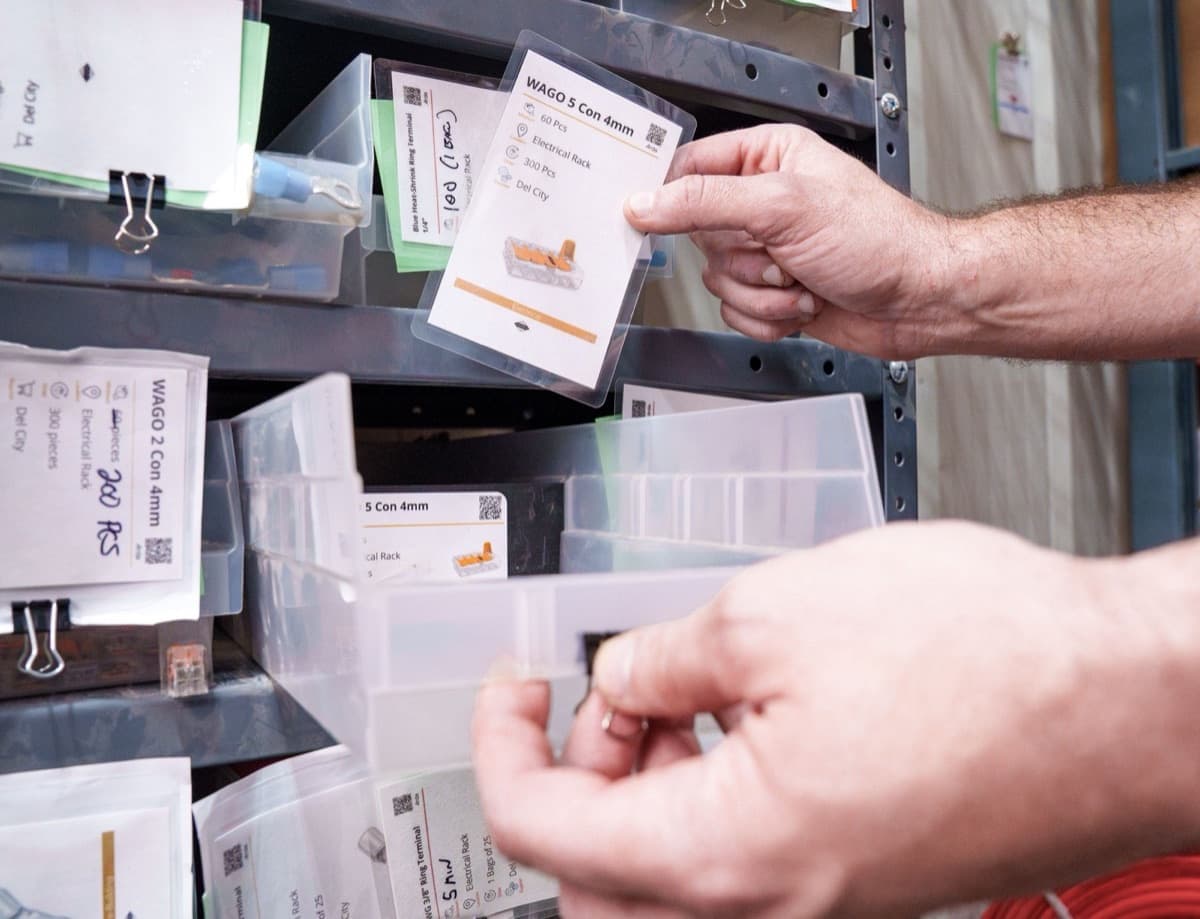
Get Started Today1 of 3 · ScanScan the card.Running low? Scan the card at the shelf.
Loading your card builder…
Used by professionals at








Missing Parts Lead to Stoppages That Have Real Cost Implications
- Missing parts delay production lines.
- Stockouts halt work and upset schedules.
- Excess inventory wastes valuable cash.
- Last-minute scrambling disrupts workflows.
- Ordering relies on human memory.
- An unreliable process slows down productivity.
- Juggling requests creates chaos in purchasing.
- Errors can lead to unhappy customers.
Order parts before work stops.
Your team scans cards. Purchasing checks the list.
Know what needs ordering.
Let the team flag low stock.
Keep who and how you buy from.
Start with a few parts and scale effortlesslessly.
See how other shops use Arda.
Start with the parts that keep stopping work.
less time spent ordering
Rossmonster reported spending 50% less time ordering.Before Arda, we held inventory levels at 25+ for most of our critical components. Now, we hold inventory levels at 5 and make 5x as many vehicles.
 Luke FarnyRossmönster
Customer case studies
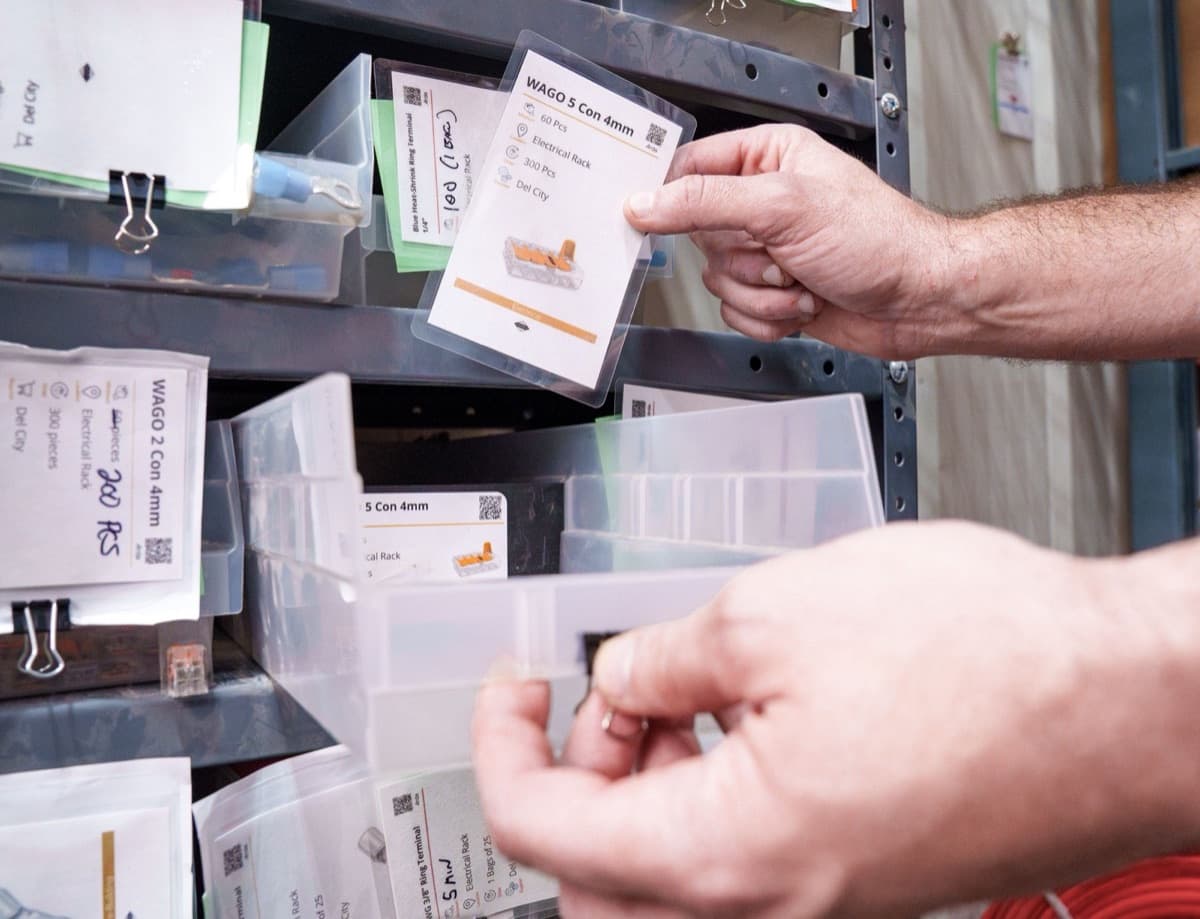
Case study · Rossmönster
Rossmönster builds five times the vans on a fifth of the stock.
They started with the parts that hurt most, then added categories from there.
Read the case study
Case study · Assembly Industrial
Assembly Industrial doubled throughput without new space or a bigger team.
Four trucks at a time became eight, in six months.
Read the case study
Case study · Fat Fender Garage
Fat Fender Garage cut its order backlog 95%.
The bottleneck moved off the floor and the high-value builds kept coming.
Read the case study
Order parts before work stops.
Your team scans cards. Purchasing checks the list.
- Know what needs ordering.
- Let the team flag low stock.
- Keep who and how you buy from.
- Start with a few parts and scale effortlesslessly.
Start with the parts that stop you.
Get the routine working. Then add more parts.
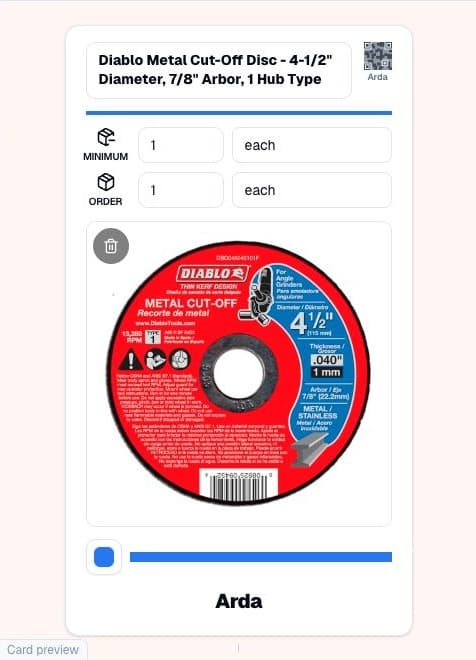
Pick a part.
Add the part, supplier and order quantity.
Place the card.
Put the card in front of reserve stock. Scan it when stock runs low.
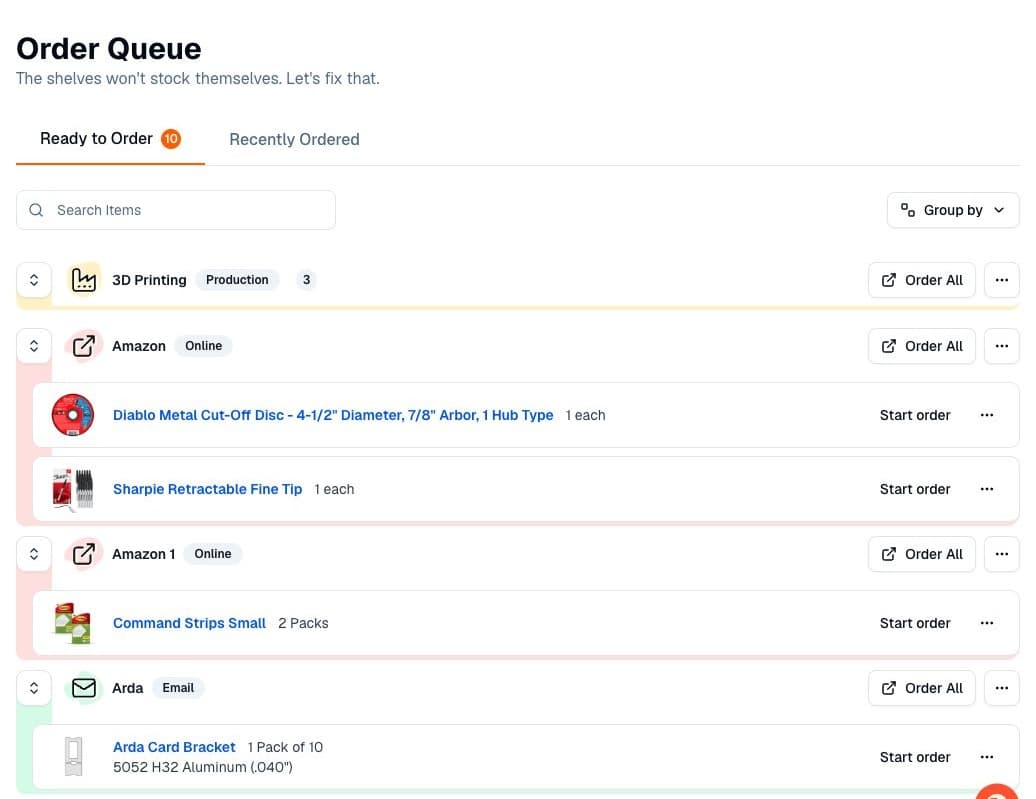
Make it a routine.
Purchasing checks requests and places orders. Receive the parts and return the cards.
Compare Arda
Start with one part.
Make a card for the part you keep running out of.
Add more once your team has a routine.
Works with your current tools
Use Arda alongside the systems you already have
 QuickBooks
 Shopify
 NetSuite
 Gmail
Gmail- CSV import
- Label printers